Planning
Undo, redo & shortcuts
Take back any change with Ctrl+Z, and plan faster with the keyboard. Every shortcut of MC Planner on one page.
For App · browser and desktop · Updated
You'll undo and redo changes, and learn the keys that make planning quick. Free to plan alone · No account
Undo and redo
- Undo: Ctrl+Z or Undo (the curved arrow) in the top bar
- Redo: Ctrl+Shift+Z (or Ctrl+Y) or Redo next to it
Undo takes back drawing, moving, deleting, a whole layout, loading a plan file and restoring a version. Pinboard cards too. In a shared world it takes back your own changes, not your friends'.
On a Mac use ⌘ instead of Ctrl.
See them in the app
Press ? or F1, or click ? in the top bar.
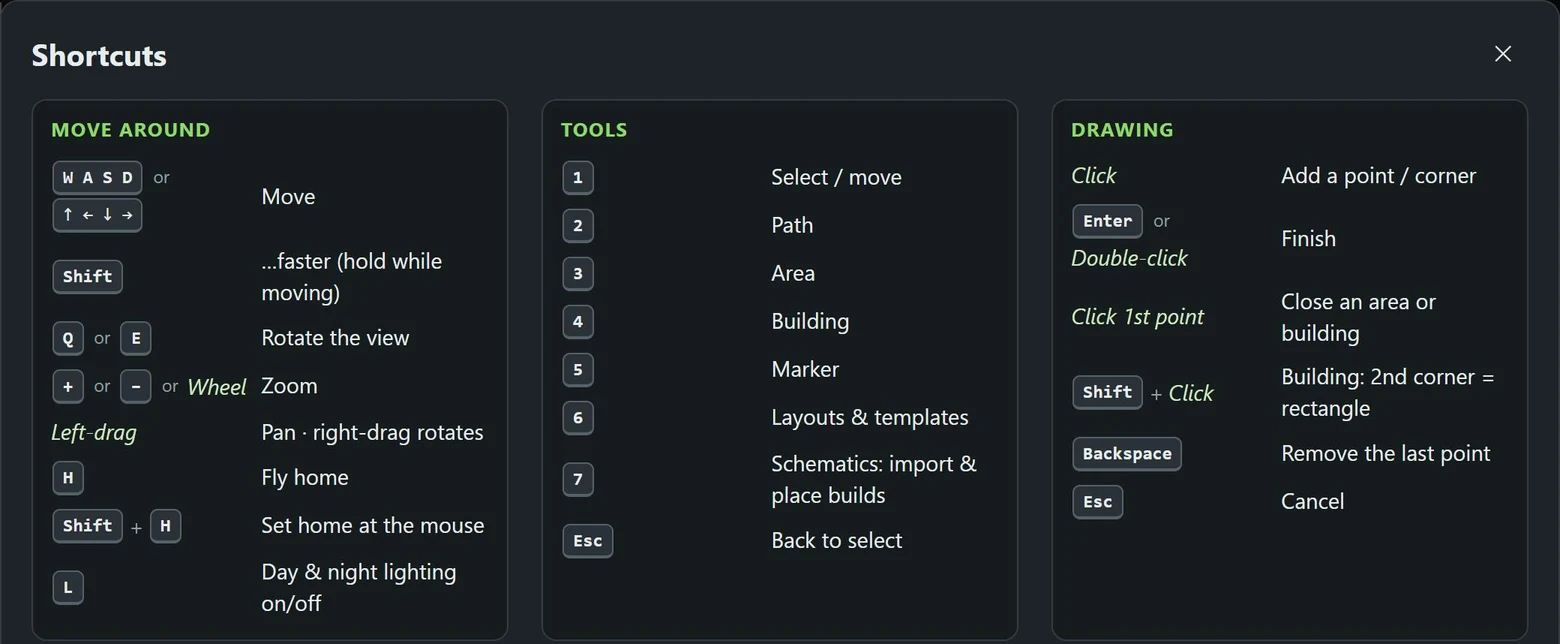
Keys work by position, so QWERTZ and AZERTY keyboards move the same way.
The sheet also links to the Academy and Troubleshooting, and has Send feedback, for posting on MC Planner's feedback board without leaving the app.
Move around
| Keys | Does |
|---|---|
| W A S D or arrow keys | Move (hold Shift for faster) |
| Q E | Rotate the view |
| + − or the mouse wheel | Zoom |
| Left-drag | Pan · right-drag rotates |
| H | Fly home |
| Shift+H | Set home at the mouse |
| L | Day & night lighting on/off |
Tools
| Keys | Tool |
|---|---|
| 1 | Select / move |
| 2 | Path |
| 3 | Area |
| 4 | Building |
| 5 | Marker |
| 6 | Layouts & templates |
| 7 | Schematics |
| Esc | Back to select |
Drawing
| Keys | Does |
|---|---|
| Click | Add a point or corner |
| Enter or double-click | Finish |
| Click the first point | Close an area or building |
| Shift + click | Building: 2nd corner = rectangle |
| Backspace | Remove the last point |
| Esc | Cancel |
Editing
| Keys | Does |
|---|---|
| Click · Shift + click | Select · add to the selection |
| Drag | Move the selection |
| Drag a handle | Reshape (Shift = free corner) |
| Alt + arrow keys | Nudge 1 block (Shift = 10) |
| R | Rotate 90° |
| F2 or double-click the name tag | Rename |
| Ctrl+C Ctrl+X Ctrl+V | Copy · cut · paste at the mouse |
| Ctrl+D | Duplicate |
| Ctrl+A | Select all |
| R F [ ] | Placing a template: rotate · mirror · smaller · bigger |
| Del | Delete |
Save
| Keys | Does |
|---|---|
| Ctrl+S | Save plan file (.mcplan) |