Blocks & block counts
Pick the block each path, area and building is made of, and read how many blocks you need to gather, in blocks and stacks.
For App · browser and desktop · Updated
You'll give an object its block and read what you need to gather before you build. Free to plan alone · No account
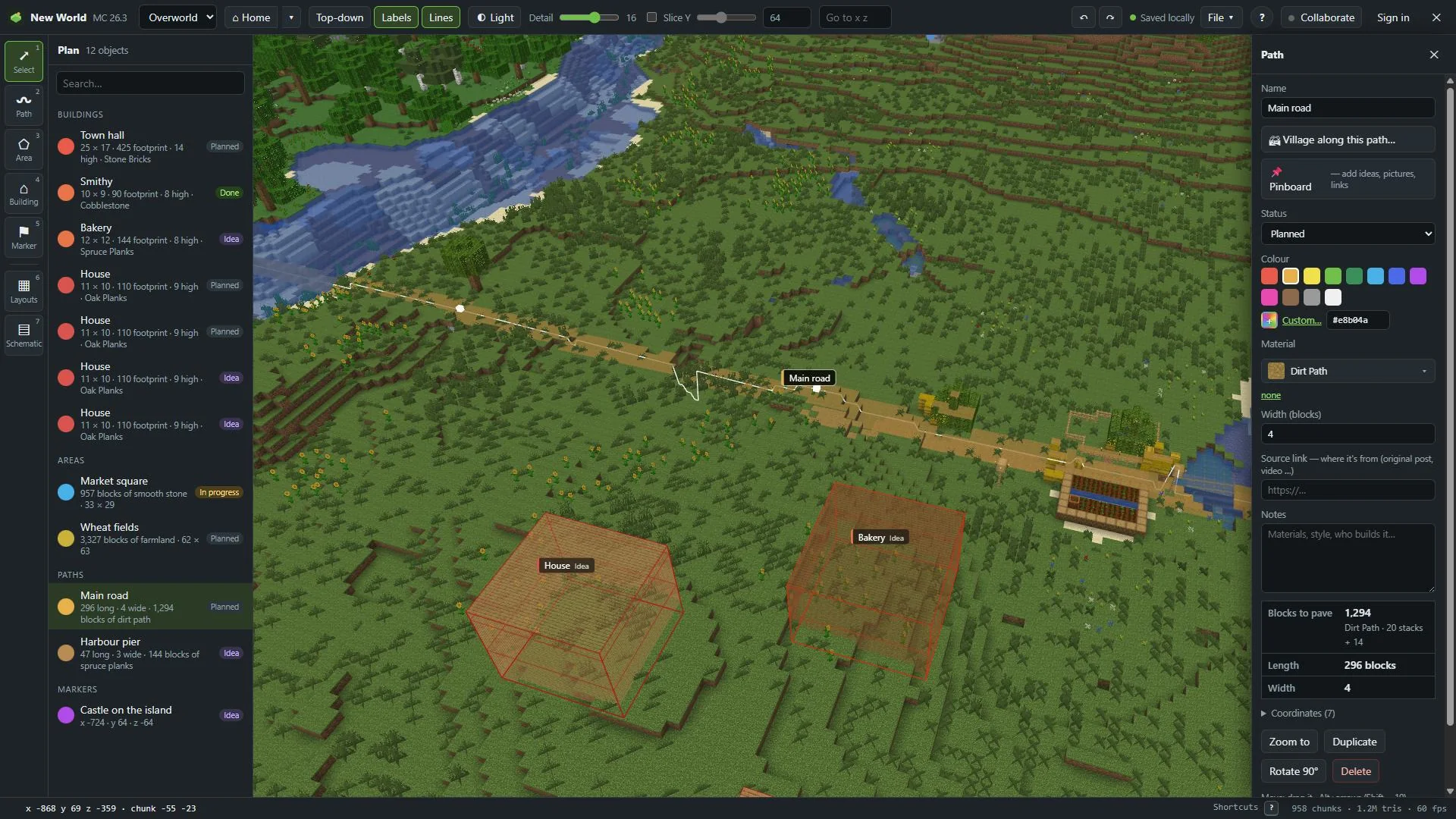
Pick a block
Open the picker
Select the object. In the inspector, click the box under Material (for buildings: Wall material). Without a block it says Plain colour.
Find your block
The picker shows:
- Used in this world: blocks you picked before
- Suggested for paths, areas or walls
- A search box: type "gravel", "spruce", "brick"…
Search finds every block of your game file, and of the mod jars you added. See Bring your blocks.
Click it
The object now shows in that block's texture on the map, and the counts name the block. none next to it brings the plain colour back.
Read the counts
At the bottom of the inspector:
| Object | Counts |
|---|---|
| Path | Blocks to pave, Length, Width |
| Area | Blocks covered, Size |
| Building | Footprint, Walls, Floor / storey, Roof, Shell total, Volume |
Stacks
From 64 blocks on, the count also shows stacks of 64. "870" reads as "13 stacks + 38". The plan list on the left shows a short line for every object too, with its size and block.
Estimates
A number starting with ≈ is an estimate: the shape was too big to count block by block.
Many objects at once
Select several objects: Shift + click, or Ctrl+A for all. The inspector shows Together: the blocks they cover. With objects of one kind you can set Material (all) in one go.
Schematics
A building from a schematic file has its own Materials list, with every block kind it uses. See Material list.