What MC Planner is
MC Planner opens your Minecraft: Java Edition world in 3D, with your own textures. You plan paths, areas and buildings on the real terrain, alone for free or live with friends.
For App · browser and desktop · Updated
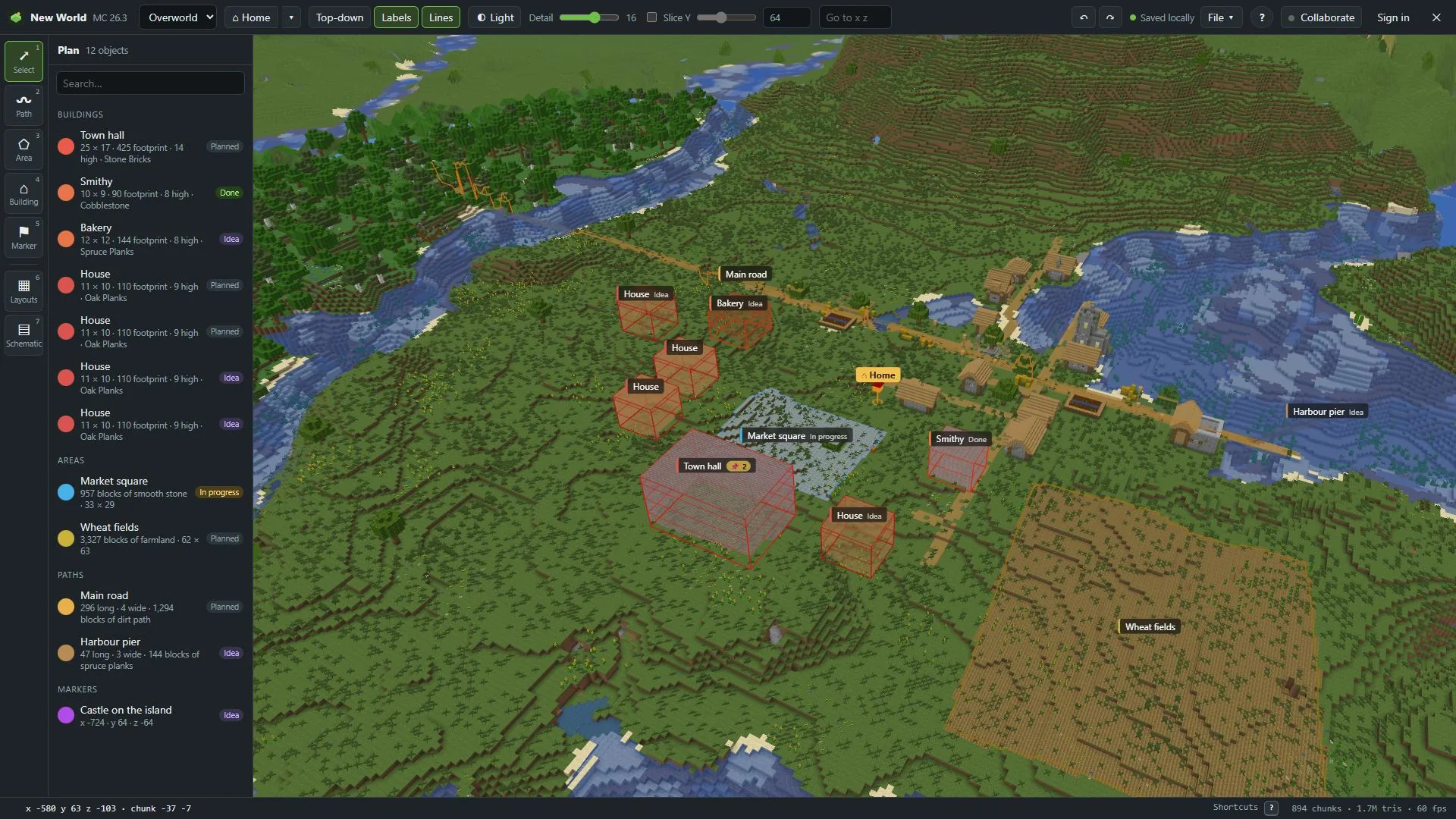
Plan your world before you build it. MC Planner shows your own world from above, in 3D, with your game's own textures. You draw on the real terrain and see what it takes.
What you can plan
- Paths: roads, rails, walls. A line with a width. MC Planner counts the blocks to pave.
- Areas: a market square, a field, a lake. Any shape on the ground.
- Buildings: a footprint with a height and storeys. Click one corner and Shift+click the opposite one for a rectangle, or click every corner.
- Markers: one spot. A portal, a chest, an idea.
Each one gets a name, a colour and a status: Idea, Planned, In progress or Done. Paths, areas and buildings also get the block they're made of.
And more:
- Layouts: fill an area with a grid city, a round town, fields or walls. Or grow a village along a path.
- Schematics: import
.litematic,.schem,.schematicor.nbtfiles and place them with real blocks. The inspector lists every material. - Pinboards: notes, checklists, pictures and links, right on the building they belong to.
- Day & night: see your plan at any time of day, with light levels. Find the spots that stay dark at night.
How it works
Your game file
MC Planner reads the block textures from your own Java Edition game file (the .jar). Nothing from Mojang is bundled. Bring your blocks shows where the file is.
Your world
Drop the world folder from your saves, or a .zip of it. Modded worlds work too. Open your world.
Your plan
Draw on the terrain. Click something and the inspector counts its blocks, with stacks.
What it never does
- MC Planner only reads your world. It never changes your save.
- Your game's textures are never uploaded. Each person reads their own game file.
- Schematic files you import stay in your browser and are never uploaded.
- No account to plan alone. Plans save in your browser, and File → Save keeps
.mcplanfiles with versions.
What's free
Free to plan alone · No accountEvery planning feature is free, with no account. Sharing a world needs our servers, so that part is paid. The person who shares pays. Friends join free.
The plans are Cloud (plan with friends), Team (build teams and servers) and Lifetime (pay once). Cloud starts with 7 days free. All of them on the pricing page.
Plan together
Share your world and send one invite link. Friends open your world in their browser and plan with you, with cursors and name tags. You choose who can edit and who can only look.
Hosting needs Cloud, Team or Lifetime · Try 7 days free · Friends join free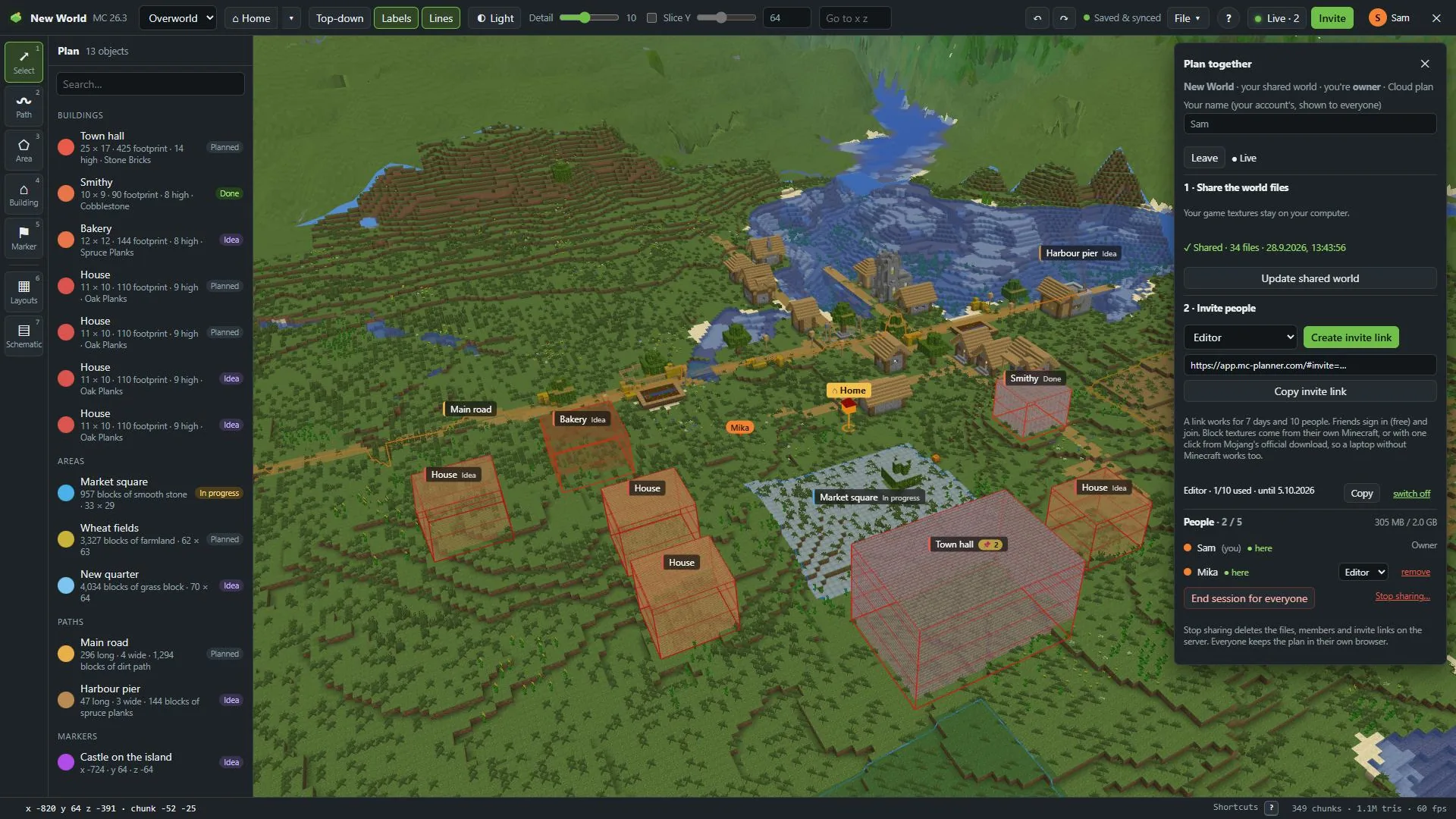
In the game
The MC Planner mod shows your plan inside Minecraft, as an overlay where you build. It works with an active MC Planner plan — yours, or the one of the friend whose world you're in. See what the mod does.
Where it runs
- In a desktop or laptop browser, at app.mc-planner.com. It uses 3D graphics, keyboard shortcuts and your game files, so not on phones.
- The desktop app for Windows, macOS and Linux is almost ready. Browser or desktop app compares the two.
- Minecraft: Java Edition only. Bedrock Edition isn't supported.