Plan files: save, versions, import & export
Your plan saves itself in the browser. Save versions before big changes, and save a .mcplan file to keep a copy or move your plan to another computer.
For App · browser and desktop · Updated
You'll learn where your plan is kept, how to save versions, and how to move it with a .mcplan file. Free to plan alone · No account
Saved by itself
Every change is saved in this browser right away. The top bar says Saved locally. Open the same world in the same browser and your plan is back.
A browser's storage stays on that computer. For a copy you can keep or move, save a plan file.
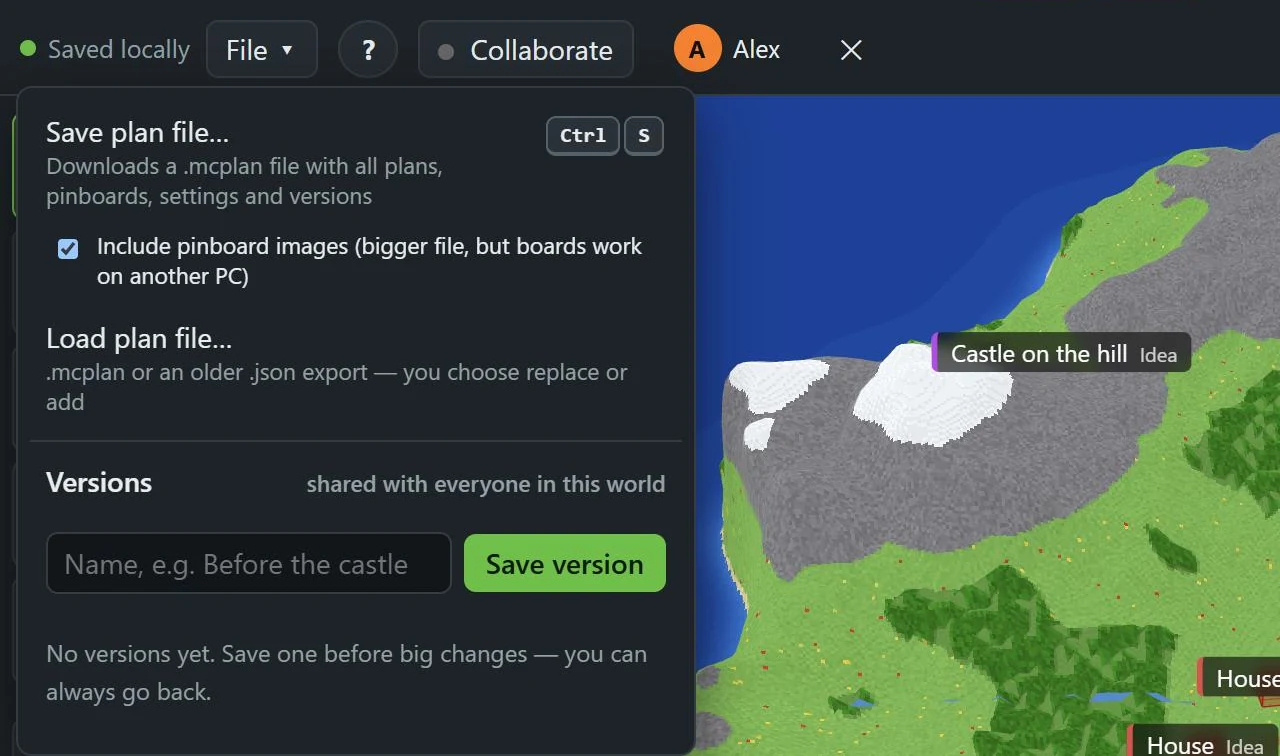
- 1: Save plan file…
- 2: Save version
Save a plan file
File → Save plan file… (1), or Ctrl+S.
- In the browser it downloads a
.mcplanfile. - The desktop app saves it to
Documents\MC Planner.
The file has all your plans (every dimension), pinboards, settings and versions. Include pinboard images makes it bigger, but the pinboards keep their pictures on another computer.
Load a plan file
Open your world first
Open the world the plan belongs to. Then File → Load plan file… and pick the .mcplan file (older .json exports work too).
Replace or add
MC Planner shows what's in the file: objects, versions, which world it was saved for. Then:
- Replace current plan: your current objects are swapped for the file's. A version named "Before loading a plan file" is saved first.
- Add to current plan: keeps everything and adds the file's objects.
Ctrl+Z undoes either one.
Another world
Saved for a different world? MC Planner warns you: the coordinates may not fit this map.
Versions
A version is a snapshot of your plan inside the world. Save one before big changes.
- File, type a name under Versions, for example "Before the castle".
- Save version (2).
To go back: Restore next to a version, then Restore now. Restoring replaces the current plan, and Ctrl+Z undoes it. X next to a version deletes it.
In a shared world, versions are shared with everyone in it.
In Minecraft
The Minecraft mod Included with Cloud, Team and Lifetime · Try 7 days free · Friends in your worlds use it free can show a plan file in your game too. See Plan files in the mod.