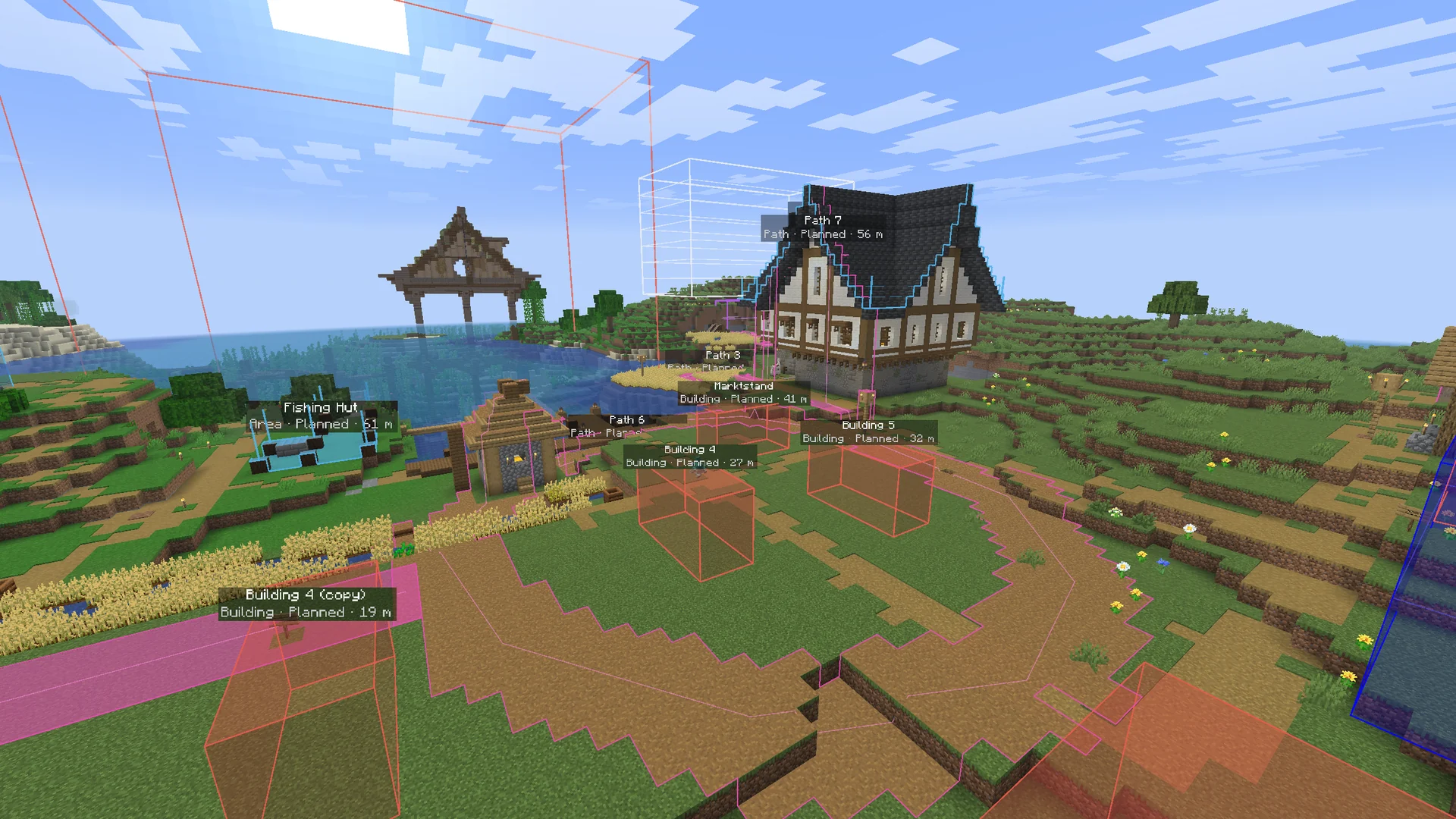
Paths & areas
On the terrain, in the block they're planned in: gravel, water, wheat.
The MC Planner mod shows your shared world's plan inside Minecraft: paths to pave, fields to sow, the next building as ghost blocks. Tick things off as you go. The app updates live.
Needs an active MC Planner plan — yours or your friend's.
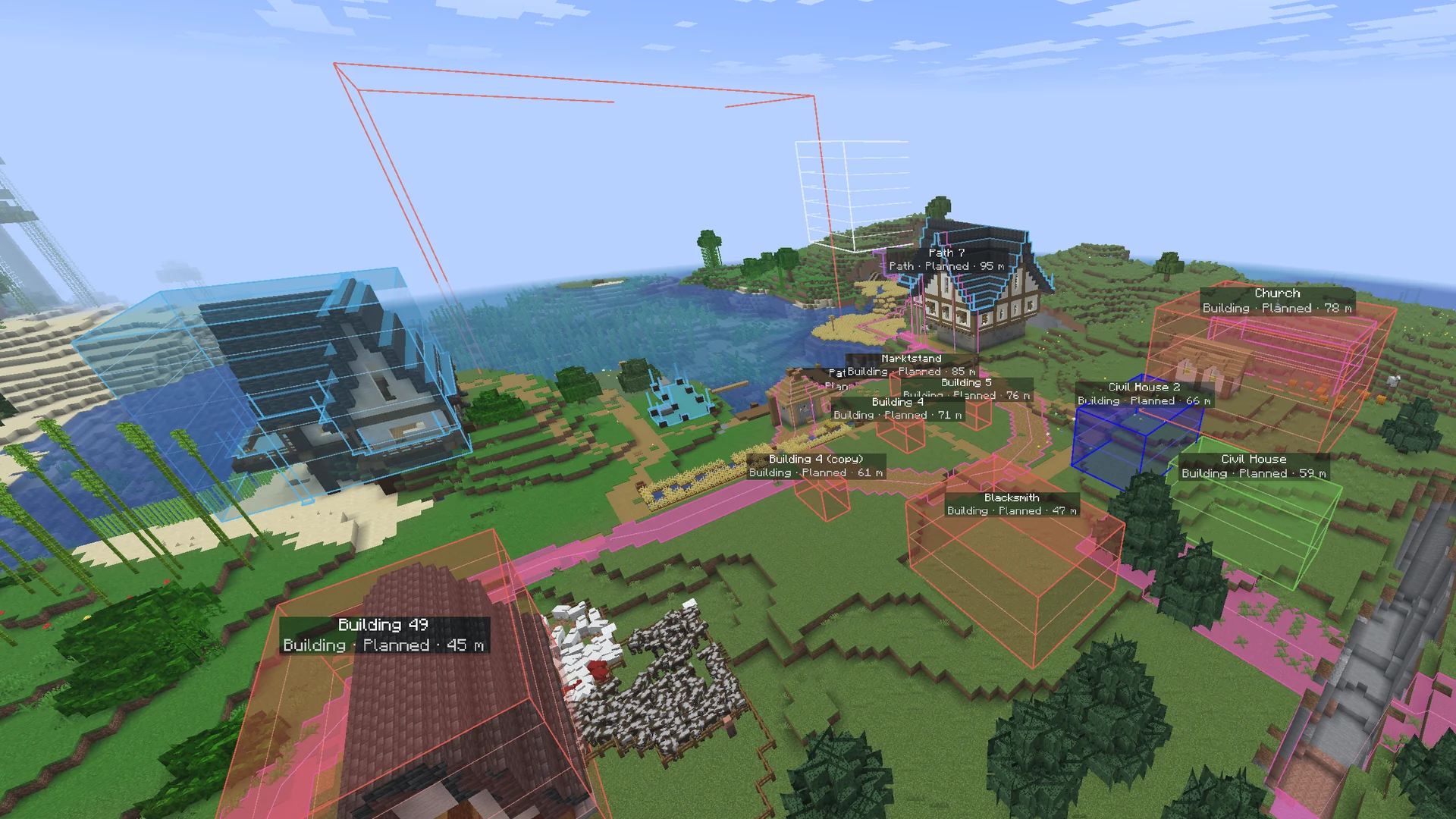
What you see
On the terrain, in the block they're planned in: gravel, water, wheat.
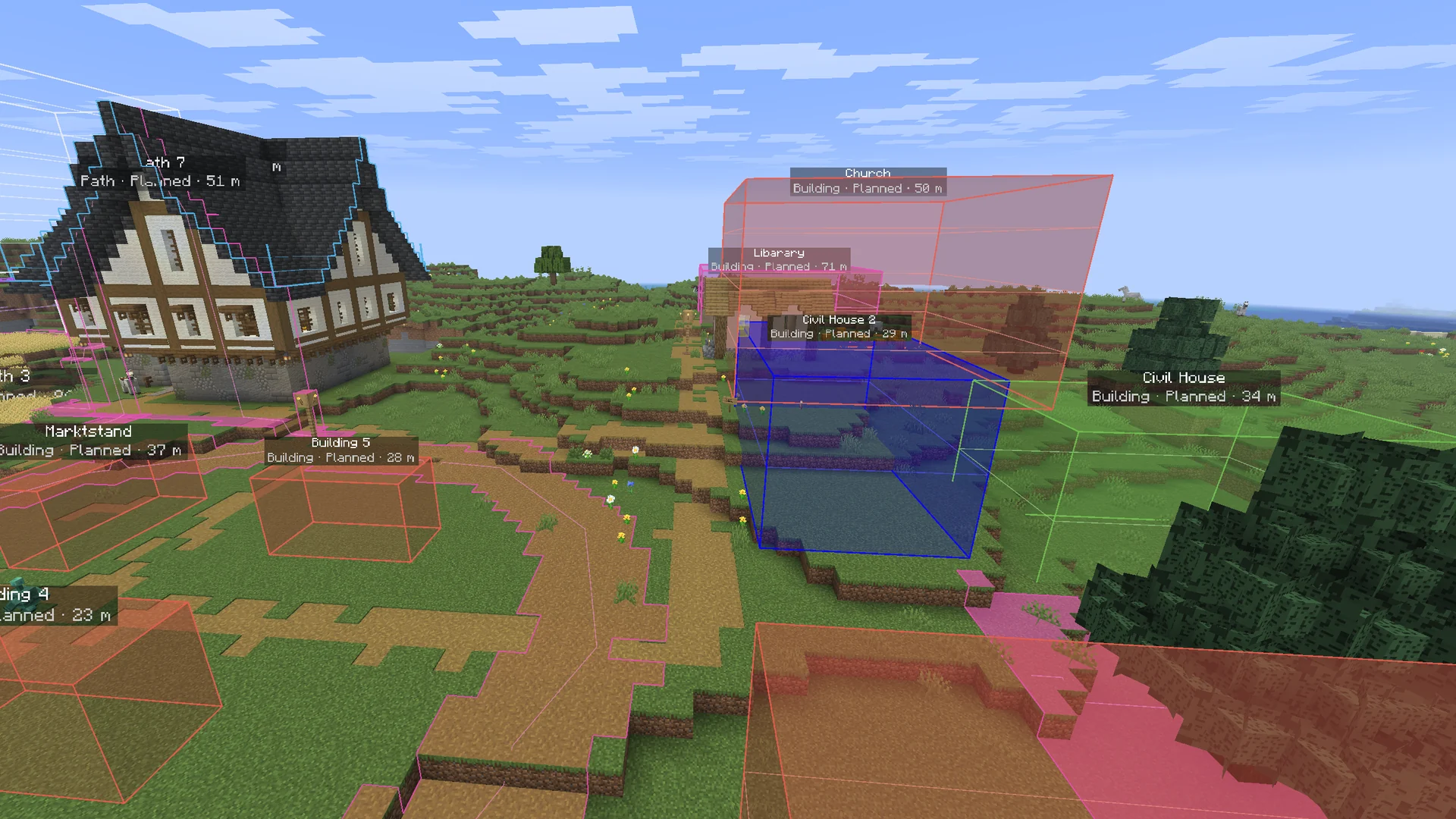
See-through boxes with their storeys, so you know where every wall goes.
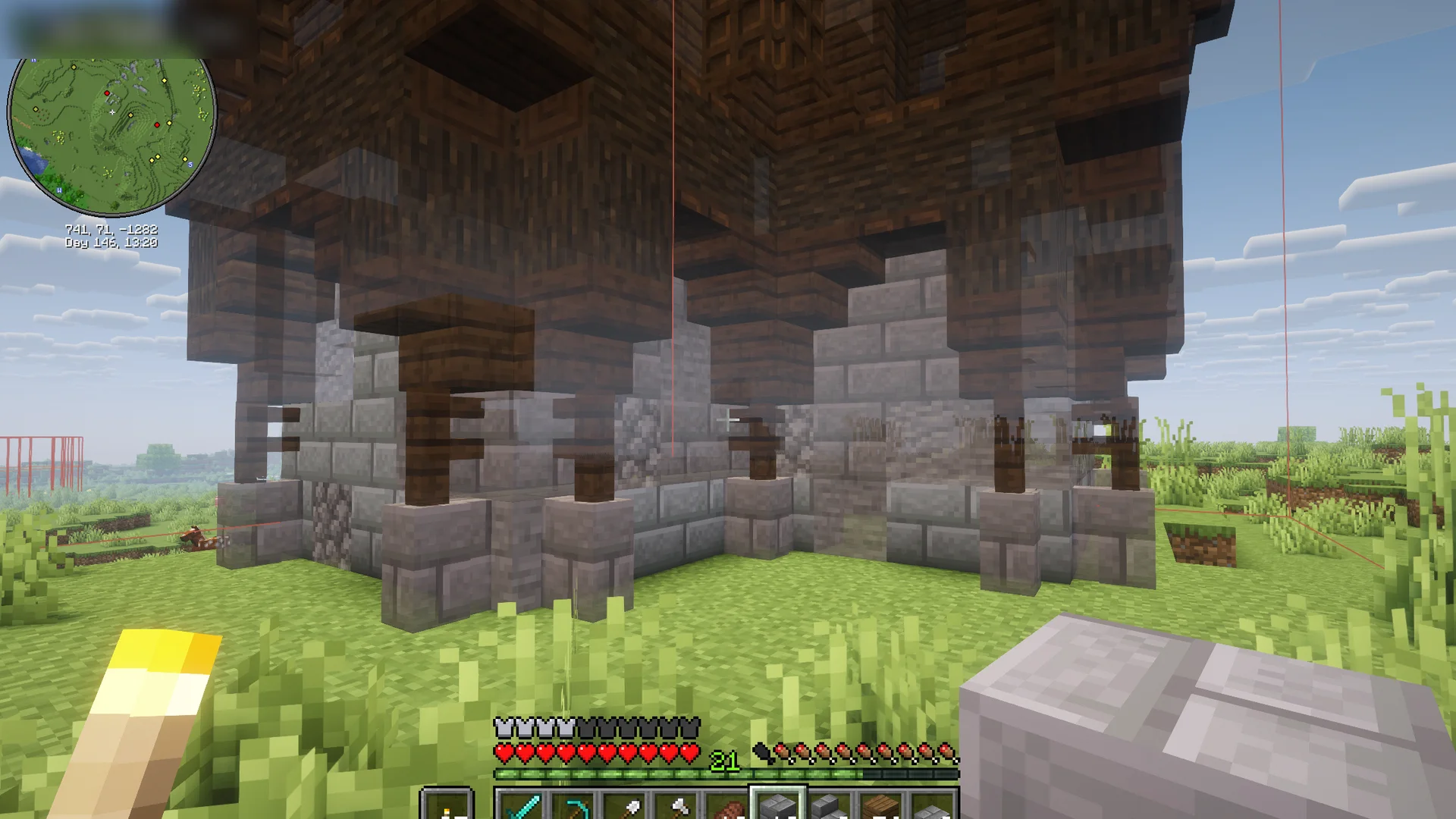
What you've already built disappears, so you see what's left.
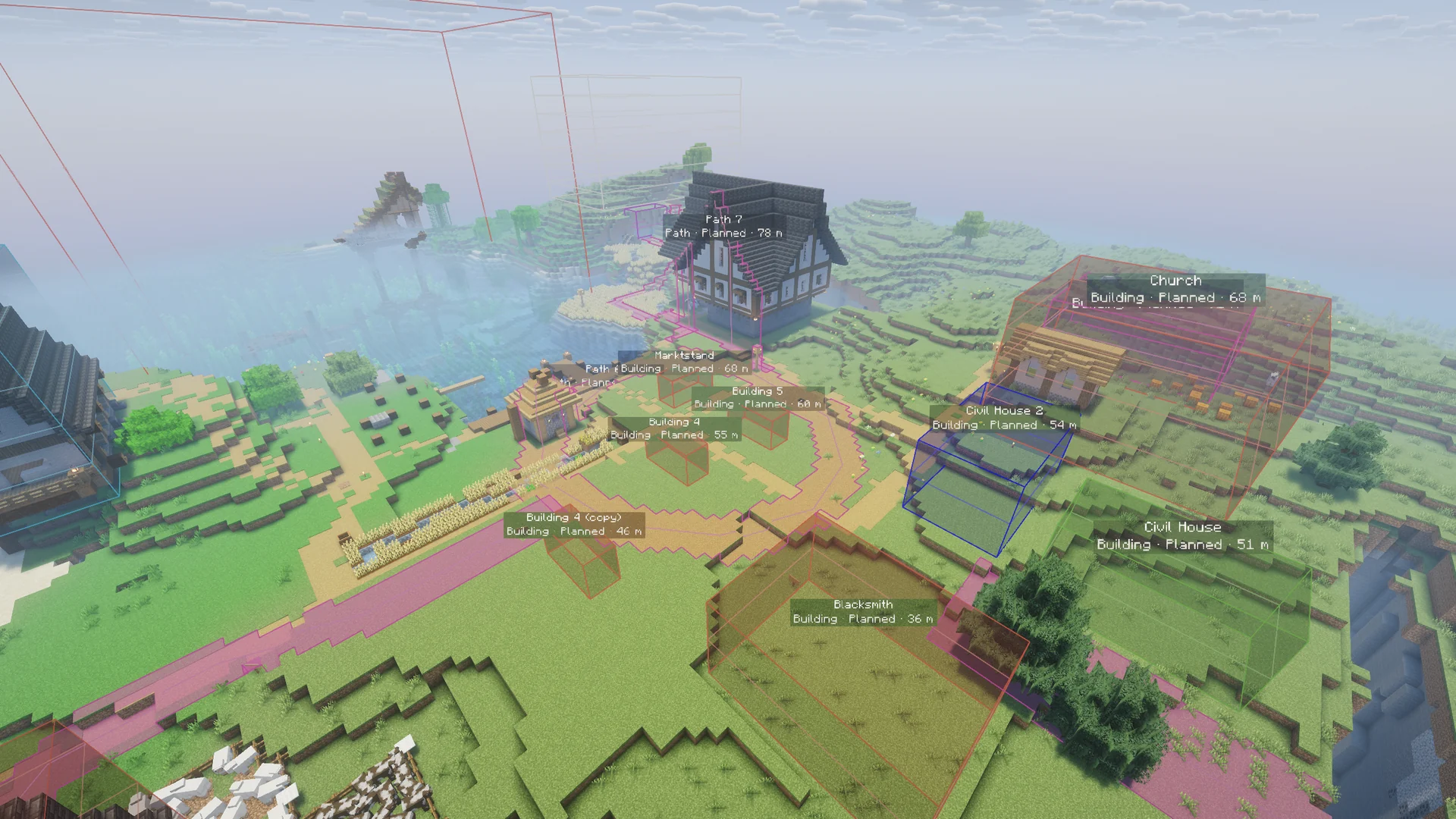
A label on everything and a beam on every marker. With shader packs too.
Find it, build it, tick it off
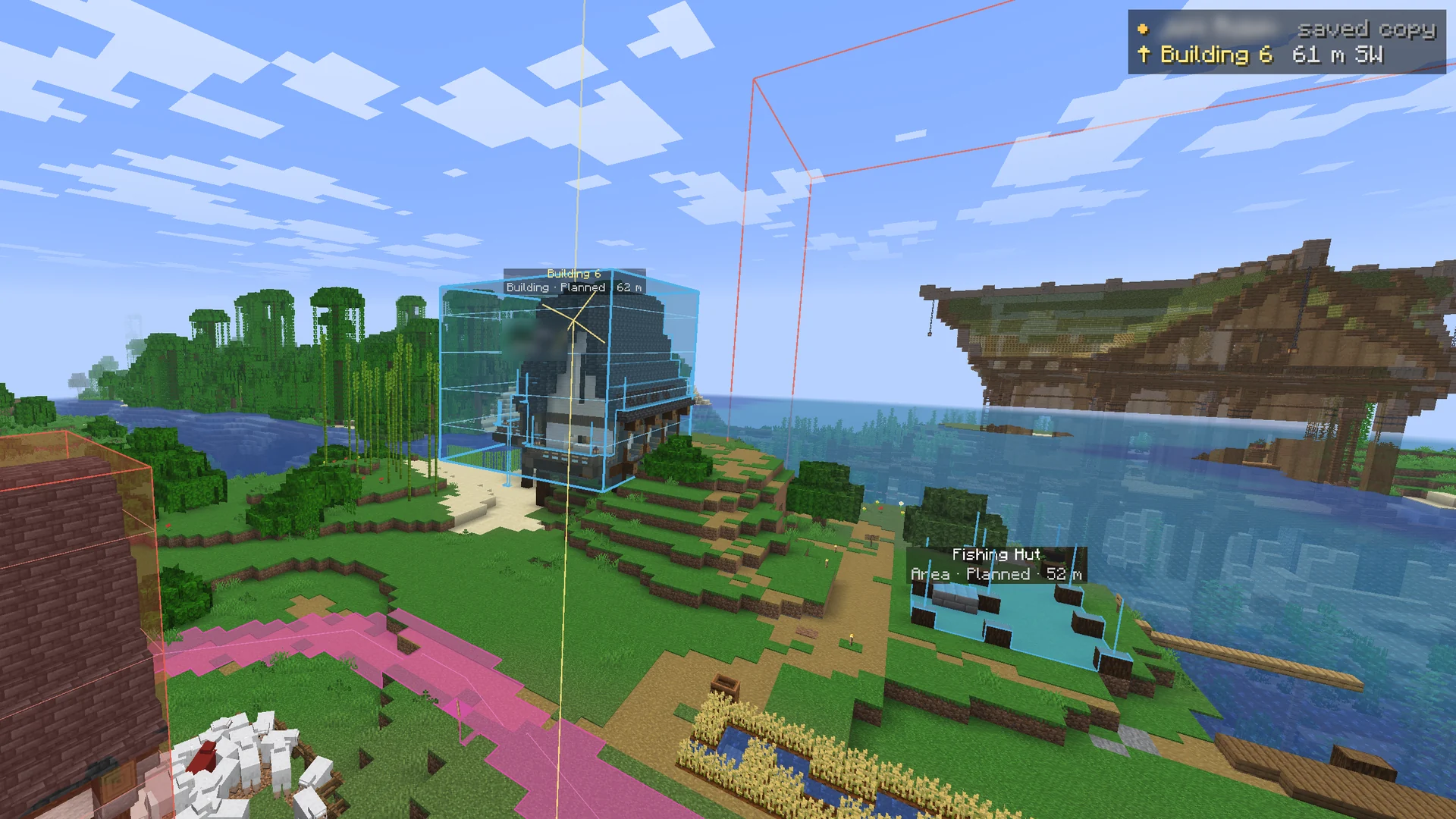
Pick something from the list. A line, a beam and the HUD lead you there.
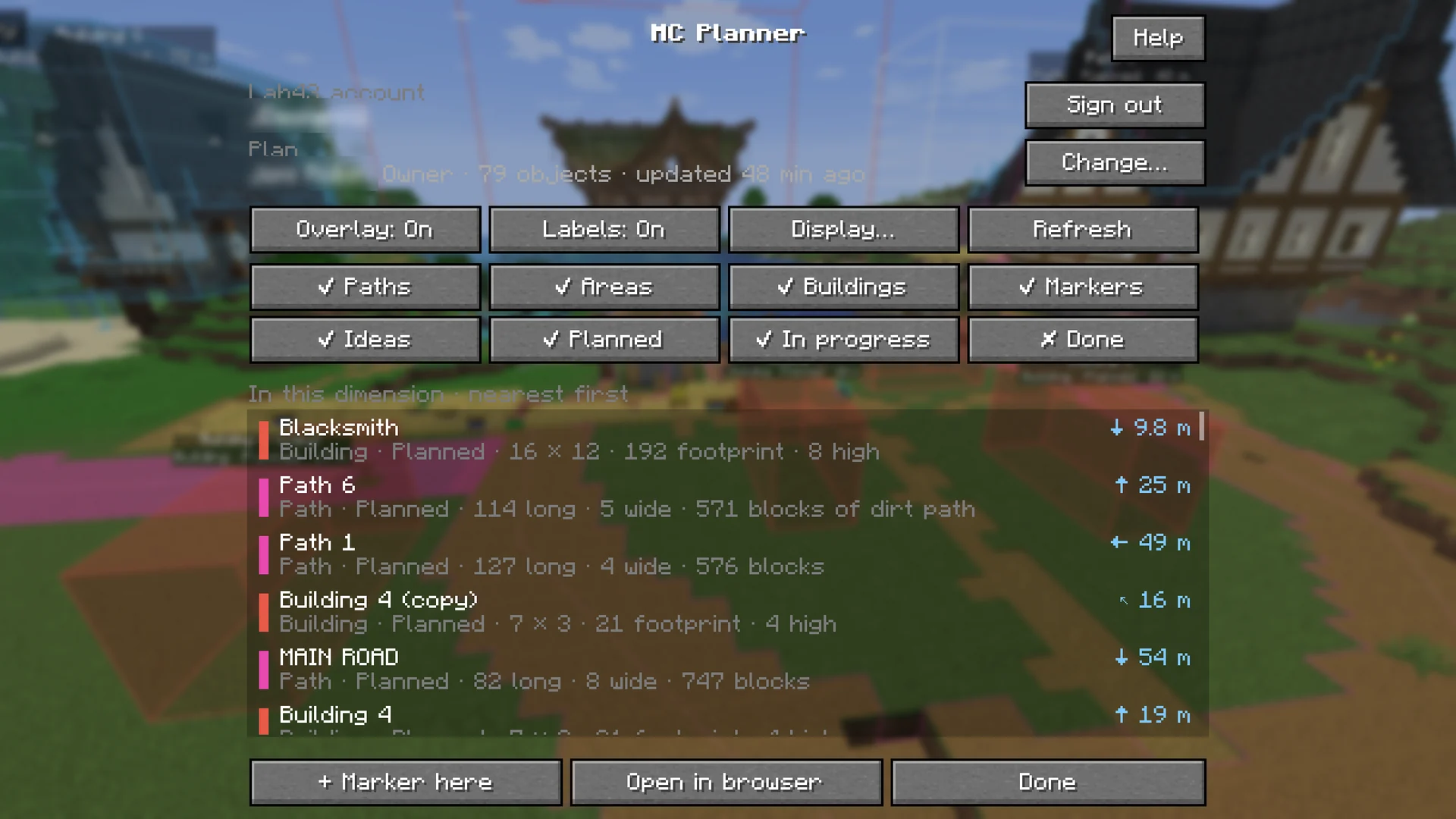
Set a status or drop a marker in the game. Your friends see it in the app at once.
Cloud, free for 7 days · No card needed
In the Modrinth App it's one click. Other launchers: follow the install guide.
In the game, press J, then Sign in, and press Connect on auth.lab43.dev. No password in the game.
Choose the shared world or plan file. The mod remembers it for each save and server.
Read the install guideOfficial launcher, Prism and CurseForge, step by step.
Open source (AGPL-3.0): read the code(opens in a new tab)What the mod sends and reads
The download is free, but it only works with an active MC Planner plan: Cloud, Team or Lifetime, or the 7-day trial. If a friend invites you to their shared world, their plan covers you. Plan files (.mcplan) need your own plan.
No. Friends join your shared world free, with a free account. Your plan covers them, in the app and in the mod. Only for plan files in the mod do they need their own plan.
Yes. It runs on your computer only and works on any server: the server needs nothing. Your profile needs Minecraft 26.2 with Fabric Loader and Fabric API. Sodium and Iris shader packs work. See Shaders and performance.
No. The mod only draws the plan over your world, on your screen. It never places or breaks blocks, and other players don't see it.
Yes. With Iris and a shader pack, the plan's fills, lines and labels still show. Sodium works too.
Minecraft: Java Edition 26.2, with Fabric Loader and Fabric API. Older versions are coming. There's no version for Forge, NeoForge or Bedrock.
The mod shows a schematic's blocks only when the same file is on your computer. Builds belong to their creators, so the plan never carries the file. Get it from the source link and put it in your Downloads. See Schematic ghost blocks.
The owner's shared worlds pause. In the app, everyone can still open them read-only and export the plan. In the mod, paused worlds are listed but nothing is drawn until the owner renews. Plan files in the mod need your own active plan. Your Minecraft world isn't touched, and nothing is taken from anyone's own copy of the plan.
Plan your world with friends in MC Planner, then see the plan right where you build.
Needs an active MC Planner plan — yours or your friend's.