Layouts
Fill an area with a grid city, a round town, farm fields or a castle wall, or grow a village along a road. Plus templates to reuse your own builds.
For App · browser and desktop · Updated
You'll let MC Planner plan streets, plots and houses for you, then keep or undo the result. Free to plan alone · No account
Start from your area or path
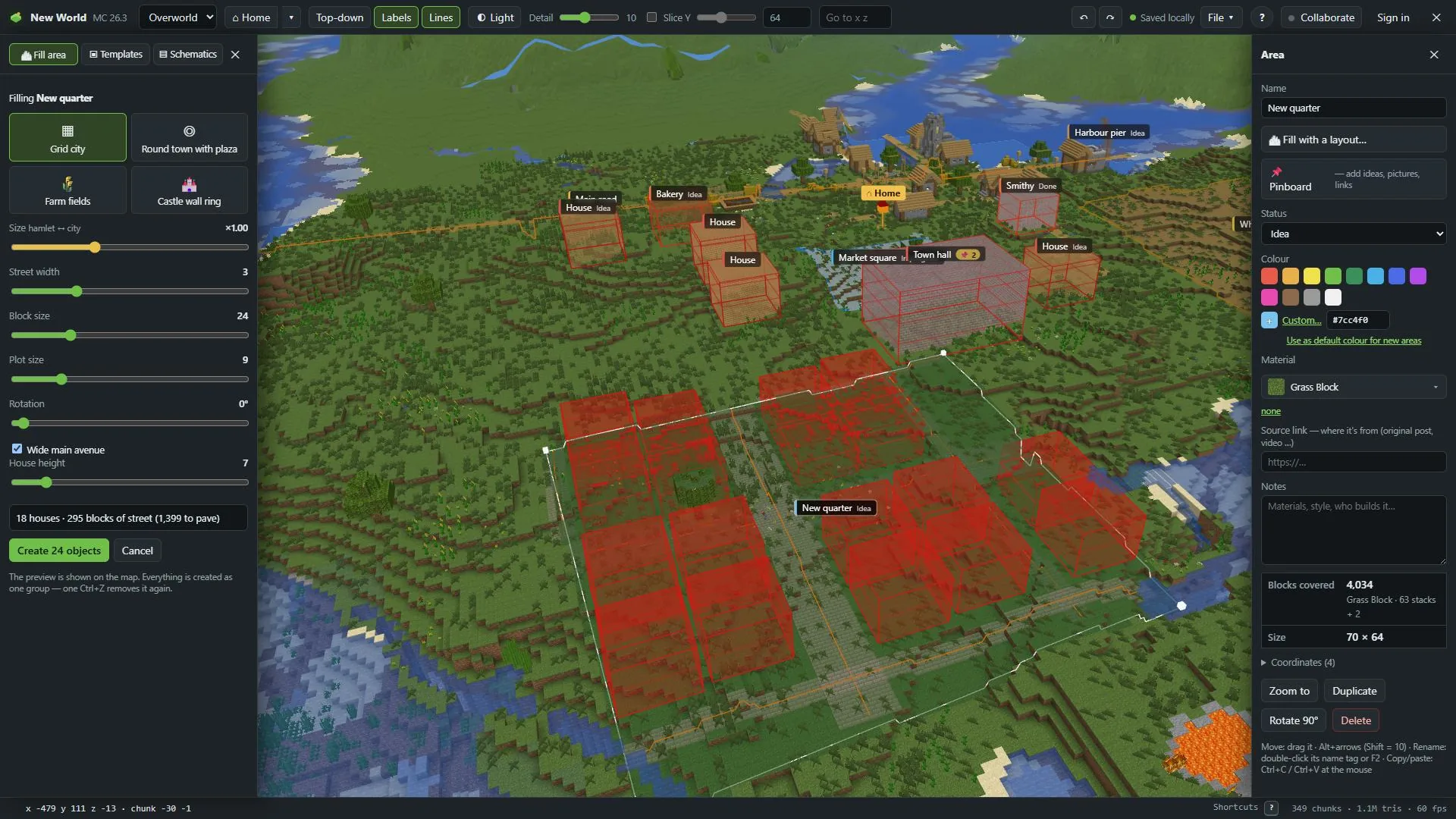
Select it and press Fill with a layout… (on an area) or Village along this path… (on a path). Or press 6 (Layouts on the left) and press Use “…” on the Fill area tab.
Pick a layout
The ones that fit show as buttons. The preview appears on the map right away.
Set the size
Size goes from hamlet to city. Below it are the settings of the layout you picked. A line under them counts what you'll get: houses, fields, blocks of street, blocks of water.
The layouts
Grid city
Straight streets with blocks of plots facing them. Settings: Street width, Block size, Plot size, Rotation, Wide main avenue, House height.
Round town with plaza
A central square, ring roads and radial streets. Settings: Plaza radius, Distance between rings, Radial streets, Street width, Plot size, House height.
Farm fields
Crop fields. Layout: rows of fields with paths, or the whole area. Crop: wheat, carrots, potatoes, sugar cane and more, or Mixed. Water: none, straight channels (every field hydrated) or a winding river.
Castle wall ring
Walls along the outline of the area, with towers. Settings: Wall thickness, Wall height, Tower size, Tower every.
Village along a path
Houses on both sides of a road. Settings: plot width and depth, Gap between houses, Distance from the road, Both sides, Variation, House height.
Templates
The Templates tab (in the same panel) places ready-made groups: Small house, Family house (L-shape), Farm, Watch tower, Market square.
- Place, then click on the map. Shift + click places more.
- R rotates, F mirrors, [ ] make it smaller or bigger.
- Stop placing or Esc ends it.
Save your own: select the objects (Shift + click for several), then Save selection as template on the tab. With two or more selected, Save as template… in the inspector opens it too. It's kept for this world. Tick also keep it in my templates for other worlds to use it everywhere in this browser.