The material list
See every block and item a placed schematic needs, counted in stacks, and copy the list as text for a chest list, a note or a chat with friends.
For App · browser and desktop · Updated
Know what to gather before you build: every schematic you place comes with its material list.
Select the building
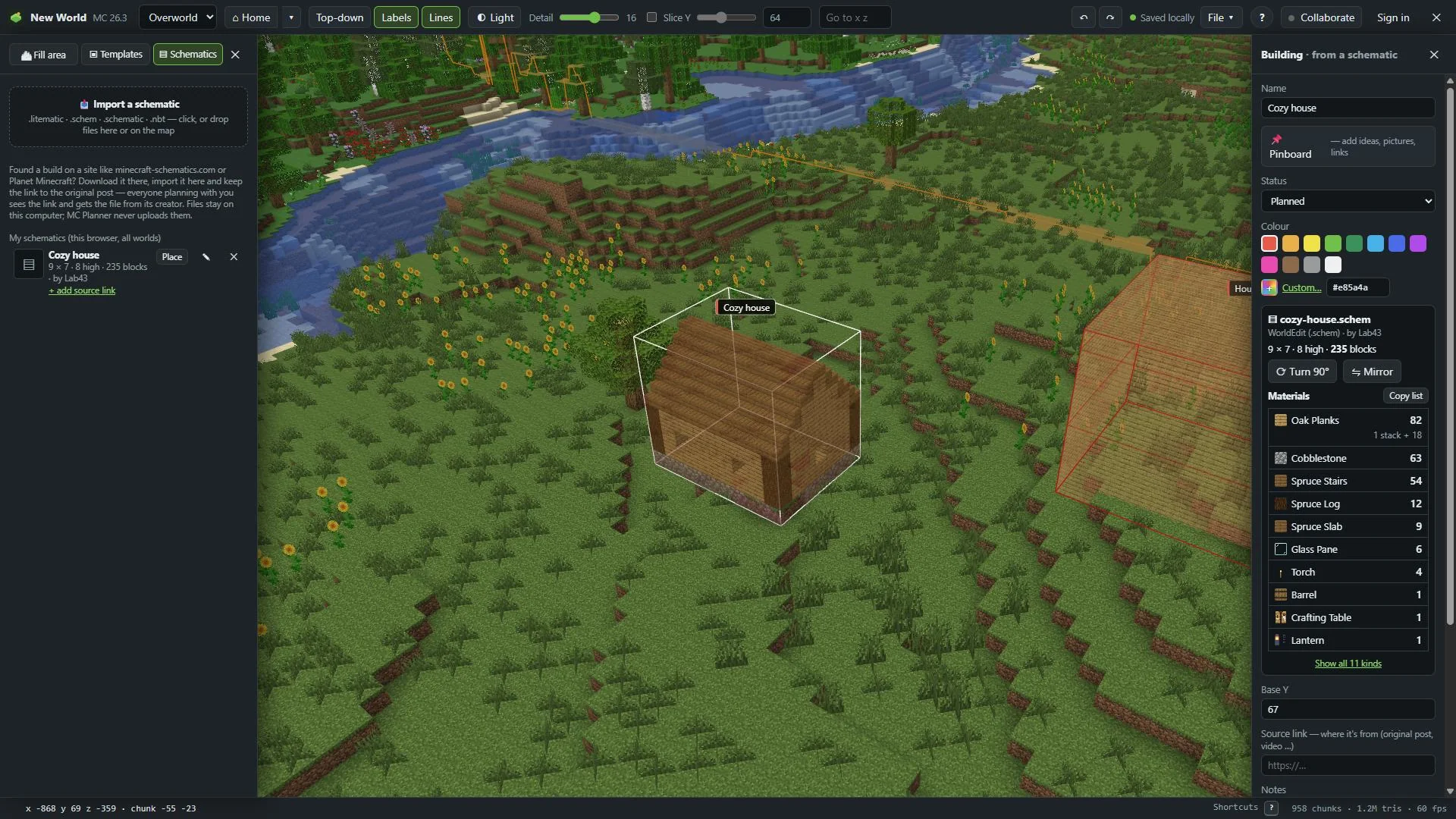
Click the placed schematic. The panel on the right shows the file, its size and its number of blocks.
Read the list
Under Materials is what the build needs, the most first: a picture of each block, its name and how many. From 64 on, it also says how many stacks, like "3 stacks + 12".
The first 10 kinds show at first. Show all … kinds opens the full list, Show fewer shortens it again.
Copy it
Copy list copies it as text, one line per item, with the building's name and its source link on top. Paste it into a pinboard note, a chat or your own checklist.
How it counts
The list counts what you'd carry, not just blocks:
- A double slab counts as two slabs.
- Doors, beds and tall flowers count once, not once per half.
- Water and lava count as buckets. Crops count as their seeds, wall torches as torches.
- Air and blocks you can't hold as an item aren't on the list.
For friends
The material list is part of the plan. Friends in a shared world see it on the building too, even before they have the schematic file on their own computer.
Tip
In Minecraft, the mod shows the schematic as ghost blocks, and every block you place the right way disappears from view: Schematic ghost blocks and build progress.