Limits of shared worlds
How many worlds you can share, how many people fit in one and how much cloud storage you have all depend on your plan. Where to see them, and what happens at a limit.
For App · browser and desktop · Updated
Planning alone is free, forever. Sharing worlds has a few limits, and they depend on the host's plan.
What the plan sets
| Limit | What counts |
|---|---|
| Shared worlds | How many worlds you host at a time. Worlds you joined don't count. |
| People per world | Everyone in one world, you included. |
| Cloud storage | The world files, colour maps and pinboard images of all worlds you host, together. |
| Co-owners (admins) | Only some plans have them (Roles). |
The numbers for each plan are on the pricing page and in the app: open Account, press See plans, then Compare plans. All of it goes by the owner's plan. Friends who join need no plan.
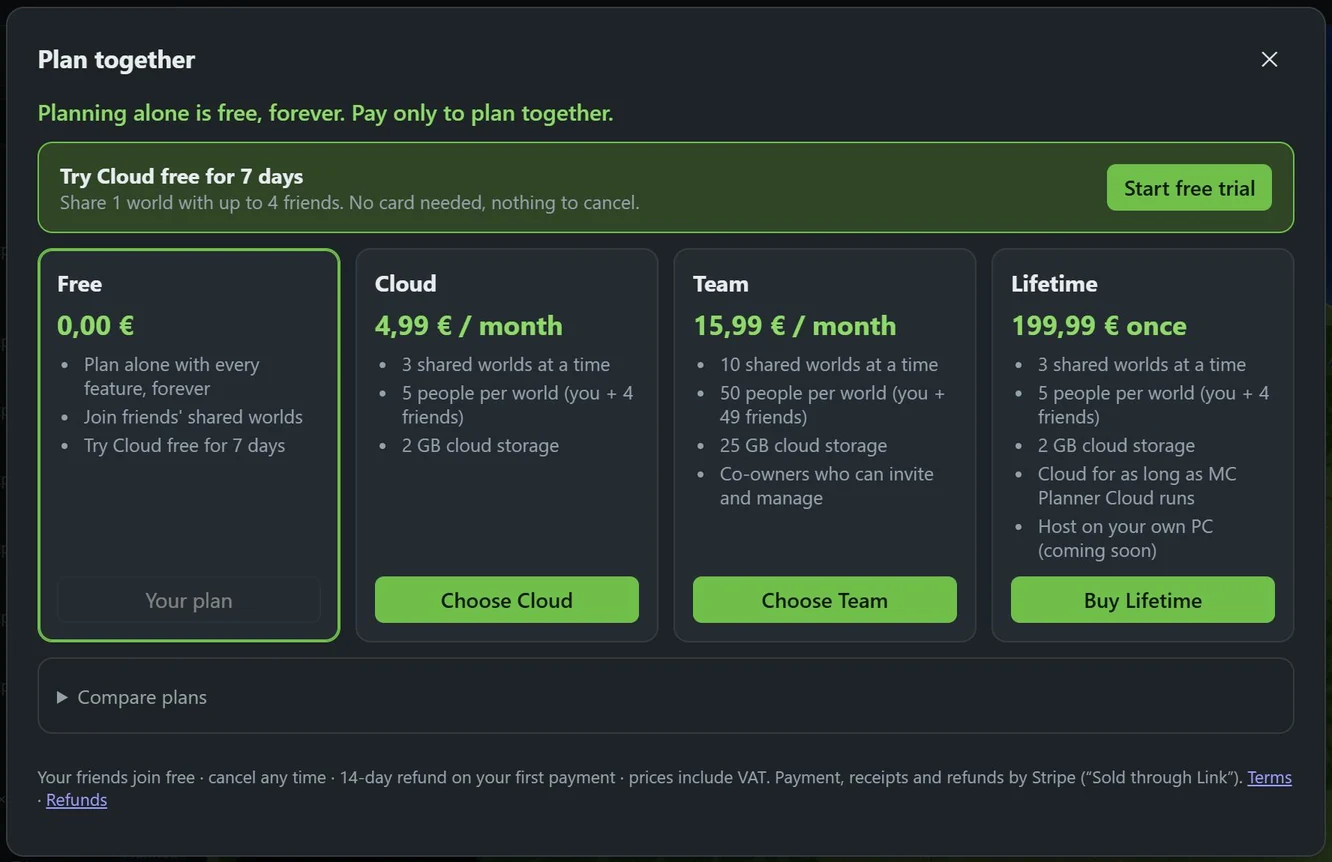
See where you are
Click your name in the top bar to open Account. Under Plan you see meters for Shared worlds and Cloud storage, and how many people fit in each world. The People list in Plan together shows how many are in this world, out of how many.
At a limit
- More worlds than your plan hosts: going live with another world says "Your plan lets you host … shared worlds at a time. Stop sharing one, or upgrade."
- The world is full: the panel says "This world is full", and Create invite link is off. Remove someone (Leave or remove) or upgrade. Friends opening a link see "This world is full." too.
- Storage is full: sharing or updating the world files stops with "The owner's cloud storage is full". Stop sharing a world you don't need, or upgrade.
- Fewer worlds after a change of plan: some worlds pause, nothing is deleted. Paused worlds.
Change your plan
In Account, press See plans or Change plan. More: Change your plan and The plans.