Live cursors and who's here
See where your friends point on the map, with their name and colour, and every change as it happens. Set your own name and colour, and learn what "Live · paused" means.
For App · browser and desktop · Updated
In a shared world you plan side by side: you see who's here, where they point, and what they change, live.
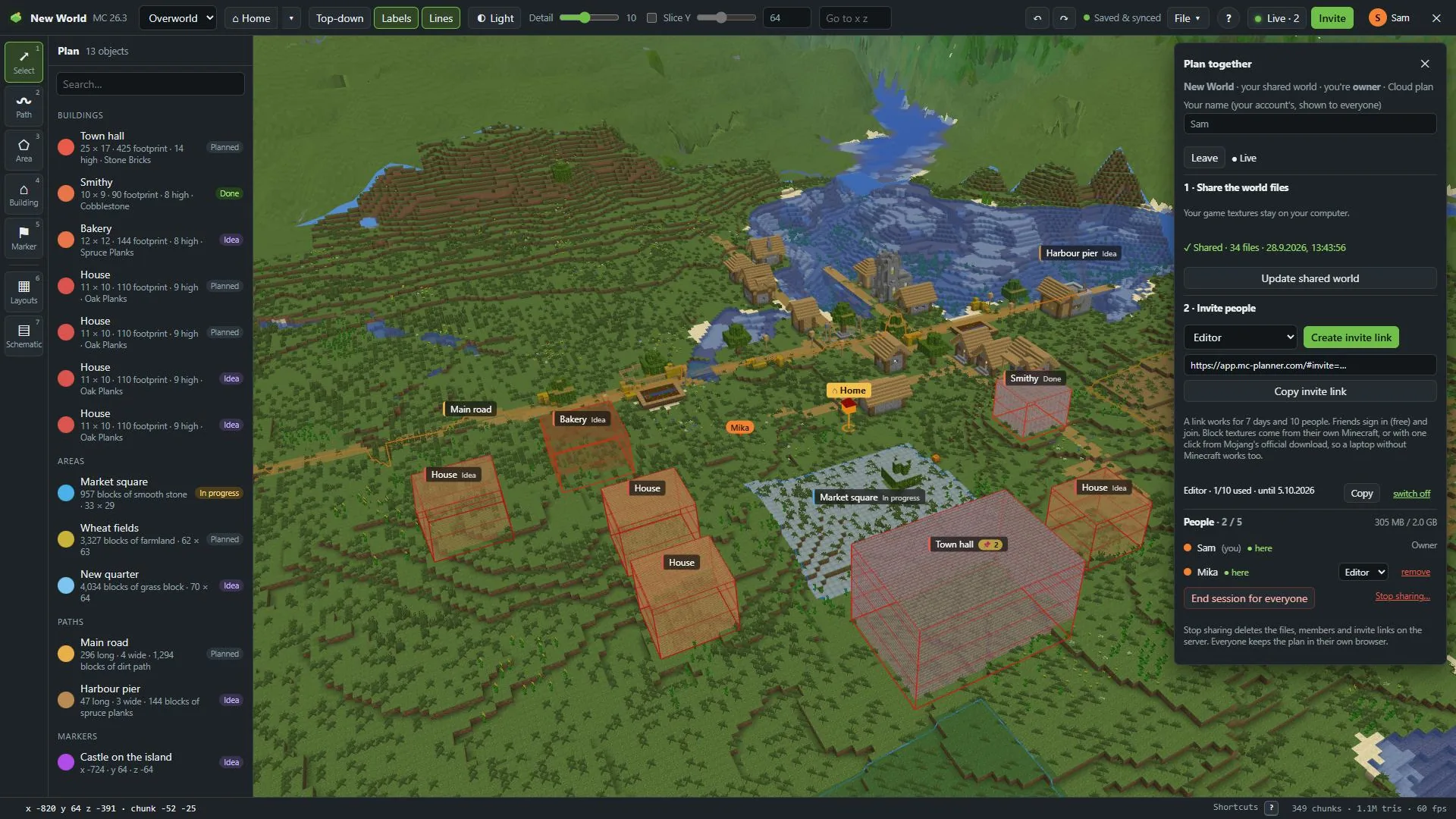
Who's here
- The Collaborate button in the top bar turns into Live with the number of people here, you included.
- In Plan together, the People list shows everyone in the world, with here (with a green dot) next to who's in it right now and (you) next to you.
Cursors
Where a friend points on the map, you see a small pointer in their colour, with their name under it. It follows their mouse, live.
Every change shows for everyone at once: a new road, a moved building, a status, a pinboard note. Home is shared too: it's where the world opens for everyone.
Your name and colour
Your name
In Plan together, type it under Your name (your account's, shown to everyone). It's your account's name, so it's the same on your cursor, in the People list and on everyone's screen.
Your colour
Click your name in the top bar (the round letter in your colour) to open Account. Pick a colour and press Save: your cursor and your dot in the People list take it. You can change your Name (shown to friends) there too.
Live · paused
Hide the tab or stop using MC Planner for a while, and the button says Live · paused. Your connection rests. It comes back as soon as you're back, and your changes are kept and sync then.
This is not the same as a paused world.
Leave the live session
Leave in Plan together takes you offline. The others stay connected, and you stay a member: press Go live to come back.
The owner and admins can also press End session for everyone: it disconnects everyone and closes the room until someone goes live again. When that happens, the panel says "The live session ended." Your plans are still saved. Press Rejoin once the host is live again.
To leave the world for good: Leave a world or remove someone.